H.M One · 38 functions
Attendance & Leave
Clock in and out, monthly attendance records, fingerprint file import, public holidays and leave requests.
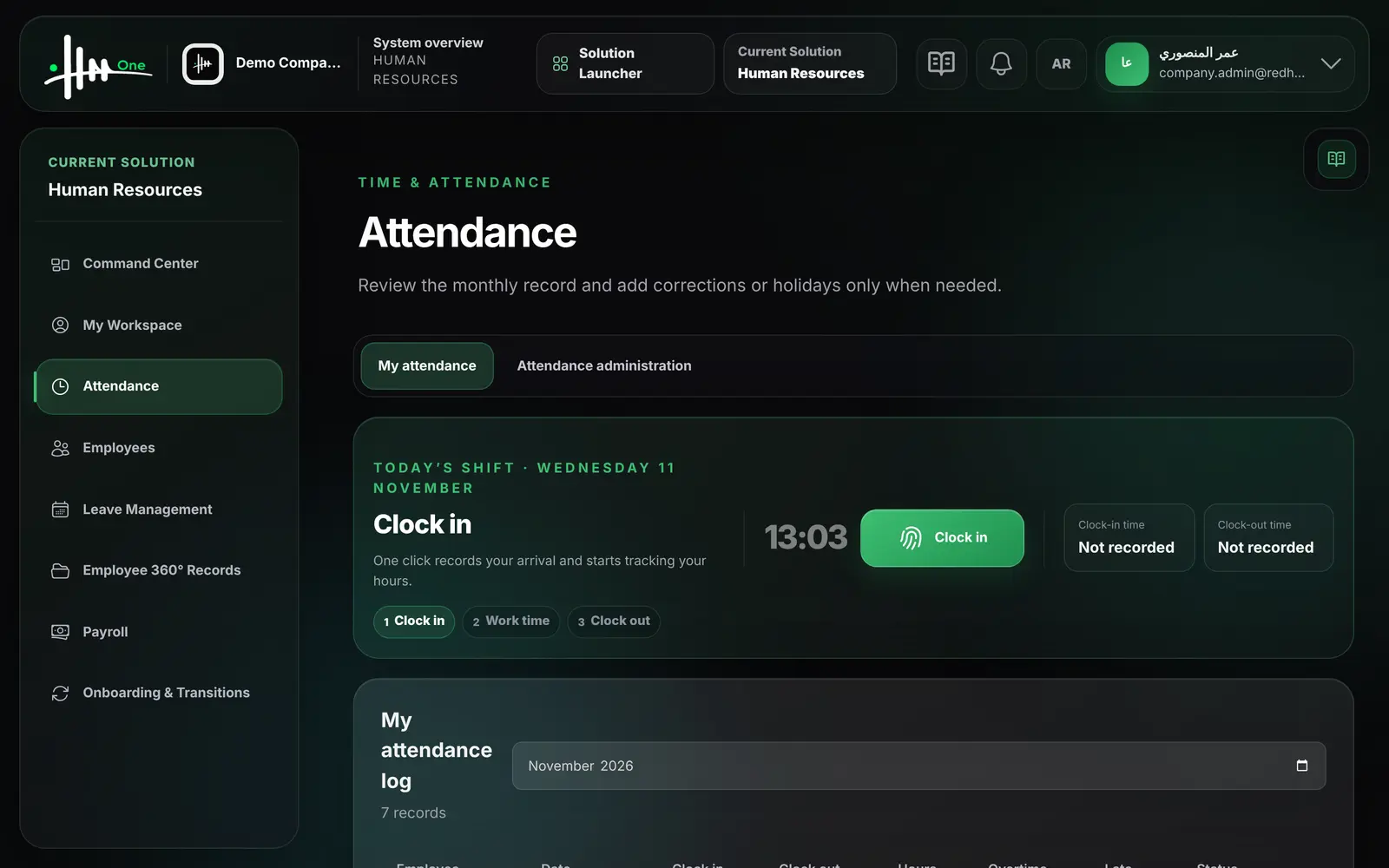
- Clock in and out
- Monthly attendance log
- Fingerprint file import
- Manual records and holidays
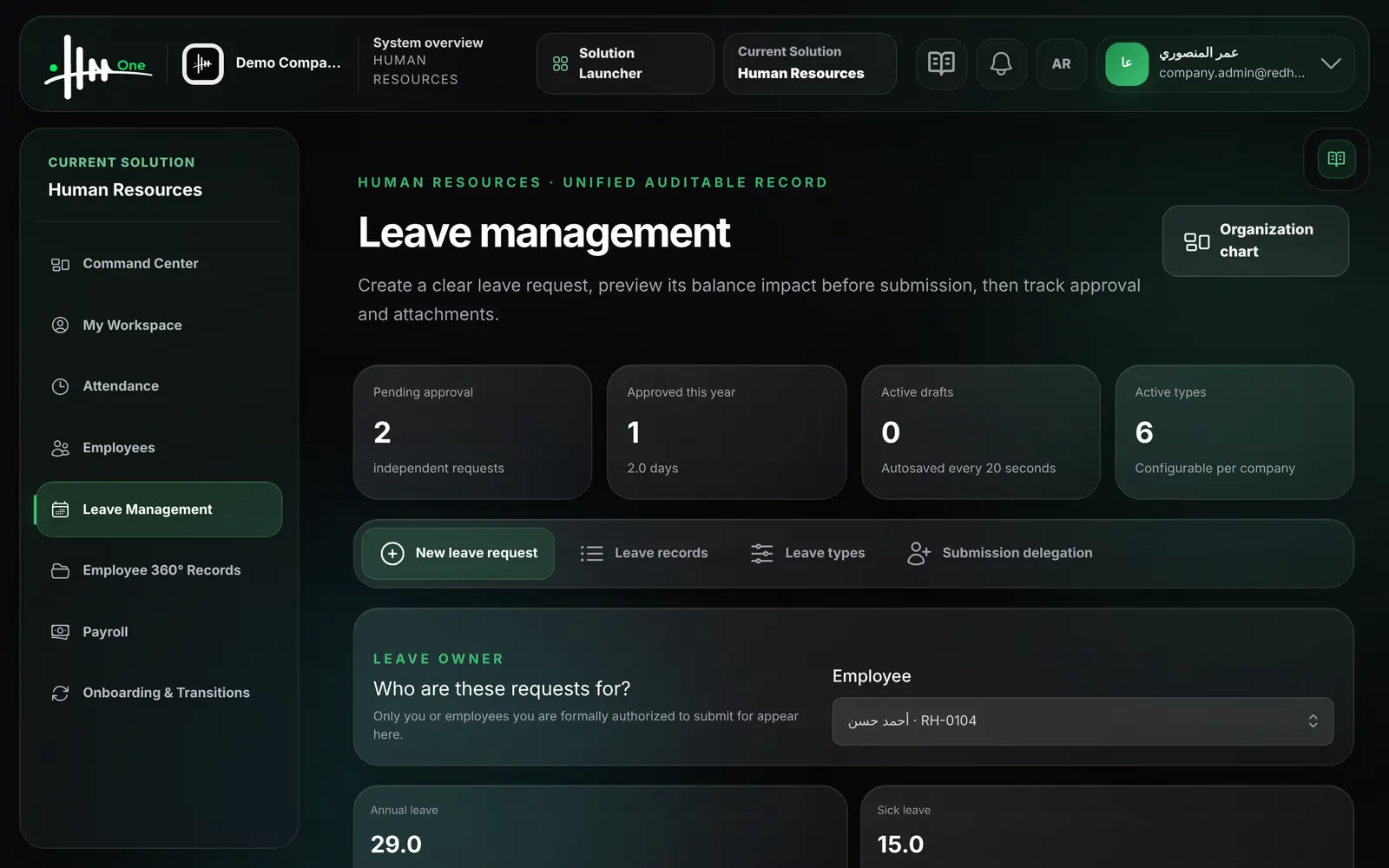
- Leave requests and types
- Attendance Excel export
- 38functions
- 3areas
- 5roles
- 2languages
How it flows.
- 1Clock in
- 2Daily record
- 3Import & correct
- 4Leave request
- 5Approval
- 6Excel export
See it working.
Functions by area.
Every function.
My attendance 5
- Clock in with one click
- Clock out and get the day's worked hours
- See today's clock-in and clock-out times
- View own monthly attendance log
- See attendance days, hours and late minutes this month
Attendance administration 11
- View all employees' records for a selected month
- Open one employee's records from the 360° record
- See hours, overtime, late minutes and status per day
- Add or correct a record manually
- Set status: present, absent, leave, remote or sick
- Import fingerprint device data from Excel or CSV
- Import daily summaries or in/out punch events
- Download a ready Excel import template
- See how many rows were imported and skipped
- Add a public holiday with start and end dates
- Export a month's attendance to Excel
Leave management 22
- Submit a leave request for yourself
- Submit up to ten separate leave requests in one go
- Request a half day, morning or afternoon
- See the balance before and after the request
- Name a colleague for task handover
- Attach a supporting document to a request
- Add a reason and contact details during leave
- Save a draft; drafts autosave every 20 seconds
- Restore or discard a saved draft
- Send each request through the approval workflow
- Search leave records by employee and filter by status
- Download attachments of a leave request
- Export leave requests to Excel
- Create and edit leave types with Arabic and English names
- Set default balance, paid or unpaid, and carry-forward limit
- Require an attachment for a leave type
- Activate or deactivate a leave type
- HR submits a leave request on behalf of any employee
- Delegate a user to submit leave for a specific employee
- Set a start and end date for a delegation
- Enable or disable an existing delegation
- View counts of pending, approved and draft requests
Who uses it
- System administrator
- HR manager
- Team manager
- Employee
- Field technician
Works with
HR Managementuses the same employee records and includes the HR screens
Approvalsleave requests go through the shared approvals inbox
Payrollthe readiness check counts employees without attendance and pending leaveReportsleave by type and by status for a date range